Mazak Mazatrol CRT to LCD Upgrade Guide
Published: June 27, 2026 | Author: szkongto01
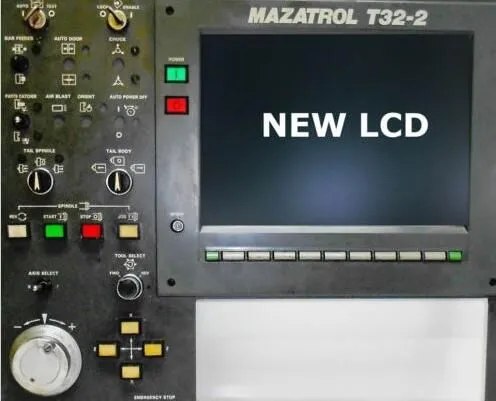
Mazak Mazatrol controls power some of the most productive CNC machines ever built. Their CRT displays — including MDT1283B-1A (12-inch), CD1472-D1M (14-inch Mazak CRT), C-5470NS, and the Totoku 12-inch display tube — are increasingly failing as these old-fashioned CRTs age beyond repair. The Mazatrol old system CRTs are becoming impossible to source.
This guide covers the full range of Mazak CRT monitors used on Mazatrol M32, M35, and older Mazatrol control systems, with model-specific specifications and replacement LCD options. We cover 12-inch and 14-inch Mazak CRT to LCD retrofit solutions including the MDT1283B-1A, CD1472-D1M, and the Totoku display tube used in some Mazak machines.
⚠️ Quick Answer: Mazak MDT1283B-1A (12" CRT) and CD1472-D1M (14" CRT) are replaced with industrial TFT-LCD modules. Original connectors, plug-and-play. $350 outright. 2-year warranty.
Mazak CRT Model Cross-Reference
| Model | CRT Type | Size | LCD Size | Price | Compatible Controls |
|---|
| MDT1283B-1A | Monochrome | 12" | 10.4" LCD | $350 | Mazatrol M32, M35 |
| CD1472-D1M | Color CRT | 14" | 12.1" LCD | $350 | Mazatrol T/M-32, T-Plus |
| C-5470NS | Color CRT | 14" | 12.1" LCD | $350 | Mazatrol T2, T3 |
| MDT947B | Monochrome | 9" | 8" LCD | $280 | Mazatrol M32, CAM M-2 |
Specification Comparison
| Spec | Original Mazak CRT | Kongto LCD Upgrade |
|---|
| Resolution | 640x400 / 640x480 | 800x600 |
| Brightness | ~200 cd/m2 | 350-450 cd/m2 |
| Lifespan | ~15,000 hrs | 50,000+ hrs |
| Power | AC 100-240V | AC 100-240V (original) |
Installation
1. Power Down
Turn off Mazatrol system. Disconnect power.
2. Remove CRT
Unscrew mounting bracket. Disconnect signal and power cables.
3. Install LCD
Mount LCD into original chassis. Use existing screw holes.
4. Test
Power on. LCD displays automatically.
Mazak Mazatrol Display Compatibility
Mazak Mazatrol controls use several CRT display types depending on the control generation:
- Mazatrol M-32 / T-32 / M-Plus — 14-inch color CRT, 3-row 15-pin (10-pin used)
- Mazatrol CAM M-2 / T-2 — 9-inch monochrome CRT
- Fusion 640 series — 14-inch color CRT
Common Mazak CRT part numbers include CD1472-D1M, MDT1283B-1A, C5470NS, and DR5614. Our KTV-series LCD modules cover all of these with the appropriate signal adapter. The installation is plug-and-play — disconnect the old CRT, mount the LCD, reconnect the same cables.
Note: Some Mazak machines have the CRT integrated into the control console rather than mounted separately. Our LCD modules match the original CRT form factor and mounting hole positions, so they drop into both stand-alone and console-integrated installations.
Why Mazak CRTs Fail
Mazak machines from the 1990s and 2000s are still running strong mechanically, but their CRT displays are the weak link. Common failure modes include: dim image (phosphor degradation after 30,000+ hours), color drift (aging shadow mask), vertical collapse (failed vertical deflection IC), and complete black screen (flyback transformer failure). Each of these failures is a permanent end-of-life signal for the CRT — repair is possible but temporary.
Mazak Mazatrol controls use a 3-row 15-pin connector interface (10 pins used on the 14-inch color models, 6 pins on the 12-inch monochrome MDT1283B). All our Mazak LCD replacements are designed for direct drop-in compatibility — same connector, same mounting dimensions, same video signal timing.