FANUC A61L-0001-0074 14-inch Color CRT to LCD Retrofit — Complete Technical Solution & Installation Guide
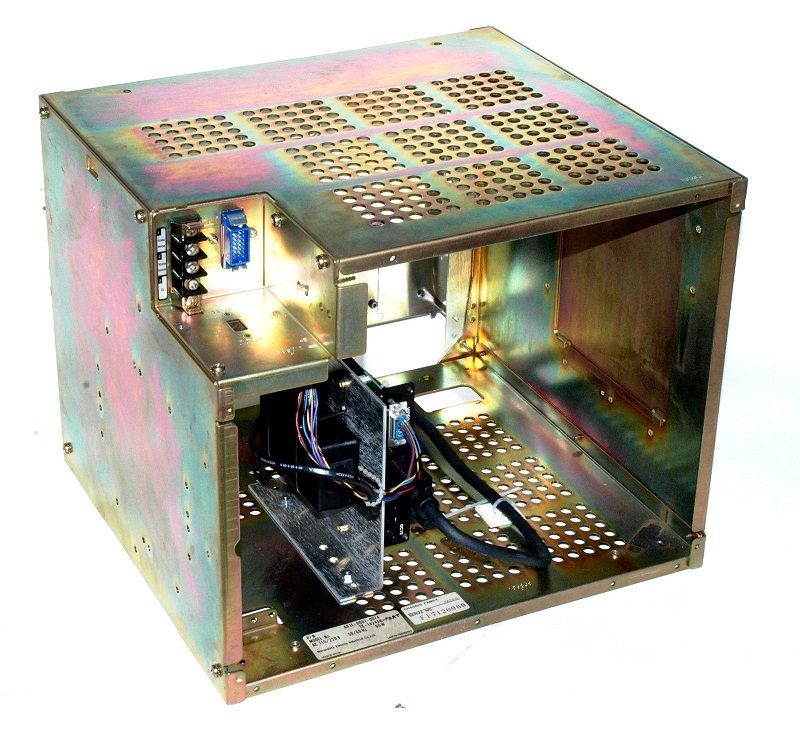
1. Overview
The FANUC A61L-0001-0074 is a widely deployed 14-inch color CRT monitor in legacy FANUC 0i, 16i, 18i series CNC systems and Shenzhen CNC controllers. After years of industrial operation, original CRT monitors commonly exhibit brightness decay, color distortion, screen flicker, focus blur, and eventual functional failure. This document provides a complete technical retrofit solution to replace obsolete CRT units with an industrial-grade TFT LCD module, supporting direct plug-and-play replacement without CNC system modification.
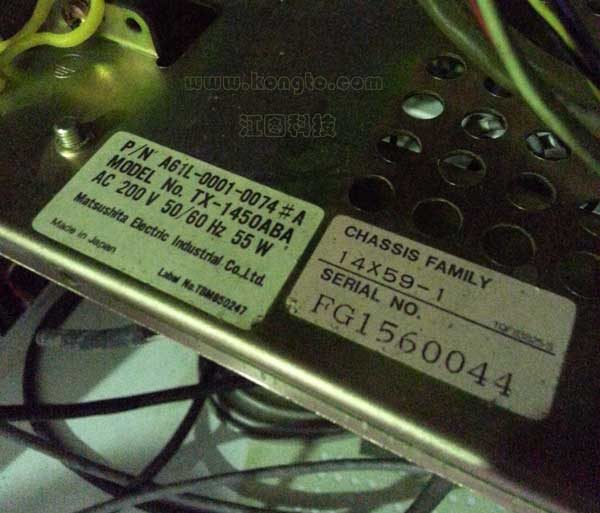
2. Original CRT Specifications and Failure Modes
2.1 Core Specifications (Original CRT)
| Parameter | Specification |
|---|---|
| Model | A61L-0001-0074 |
| Display Type | 14-inch Color CRT (Cathode Ray Tube) |
| Native Resolution | 640×480 pixels |
| Color Depth | 16 colors / 8 colors (system-dependent) |
| Interface | Proprietary HONDA 20-pin connector |
| Power Input | AC 100-240V (from the machine mains supply) |
| Power Consumption | 35-45W |
| Typical Service Life | 10,000-15,000 operating hours (3-shift operation: ~5-8 years) |
| Operating Temperature Range | 0°C to 40°C |
| Mounting Dimensions | Standard 14-inch CRT mounting holes (194×146mm) |
2.2 Common Aging Failures
- Progressive Brightness Reduction: CRT phosphor and cathode aging lead to continuous brightness decay, resulting in poor daytime visibility and operator eye strain.
- Color Cast and Permanent Color Shift: RGB gun aging imbalance causes color temperature drift (red appears orange, blue appears purple), affecting G-code highlighting and alarm message recognition.
- Intermittent Screen Flicker and Geometric Distortion: Deflection coil aging and focus circuit degradation cause image jitter, pincushion distortion, and trapezoidal deformation, making machining program display unclear.
- High-Voltage Insulation Degradation: Prolonged high-voltage operation (10-15kV) causes insulation aging, potentially leading to high-voltage leakage or arcing, posing fire hazard and equipment damage risk.
- Complete Black Screen Failure: Cathode ray tube filament burnout or high-voltage package failure renders the display completely inoperable, causing unplanned CNC system downtime.
- Obsolete Component Supply: Original CRT components are discontinued; replacement parts are rare and expensive, with extended maintenance lead times that disrupt production schedules.
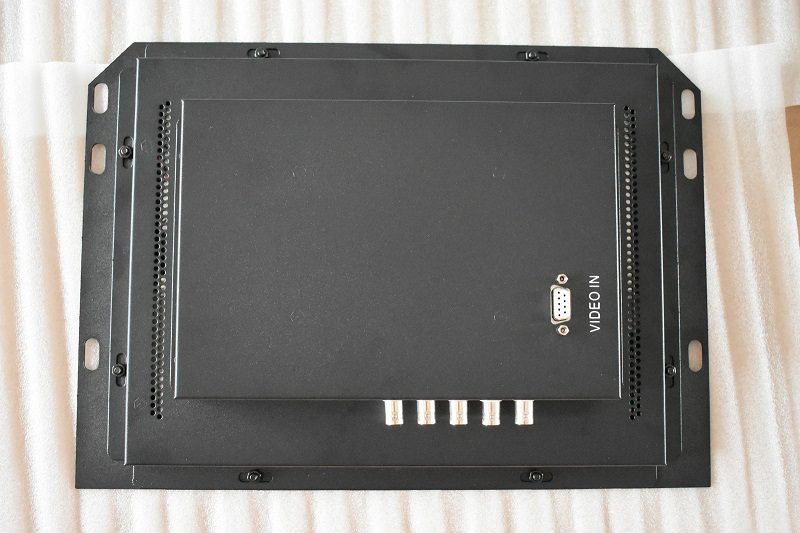
3. LCD Retrofit Solution and Technical Design
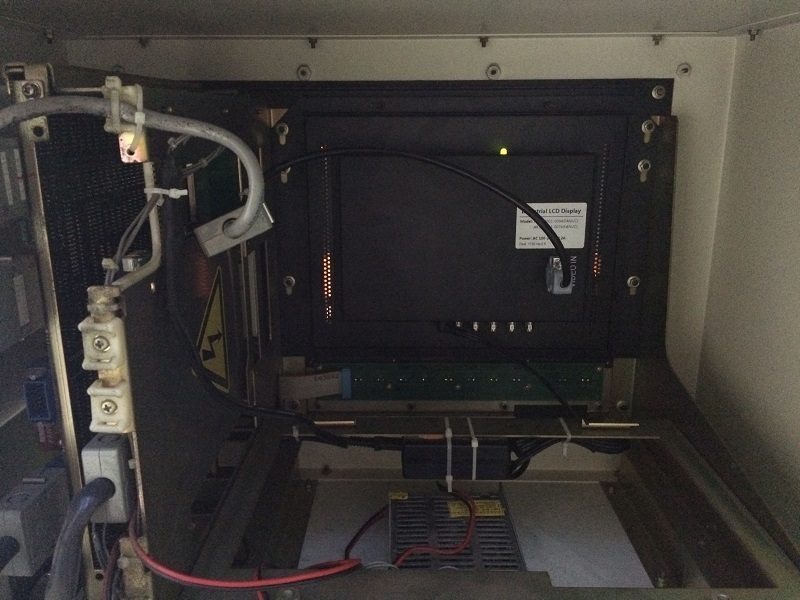
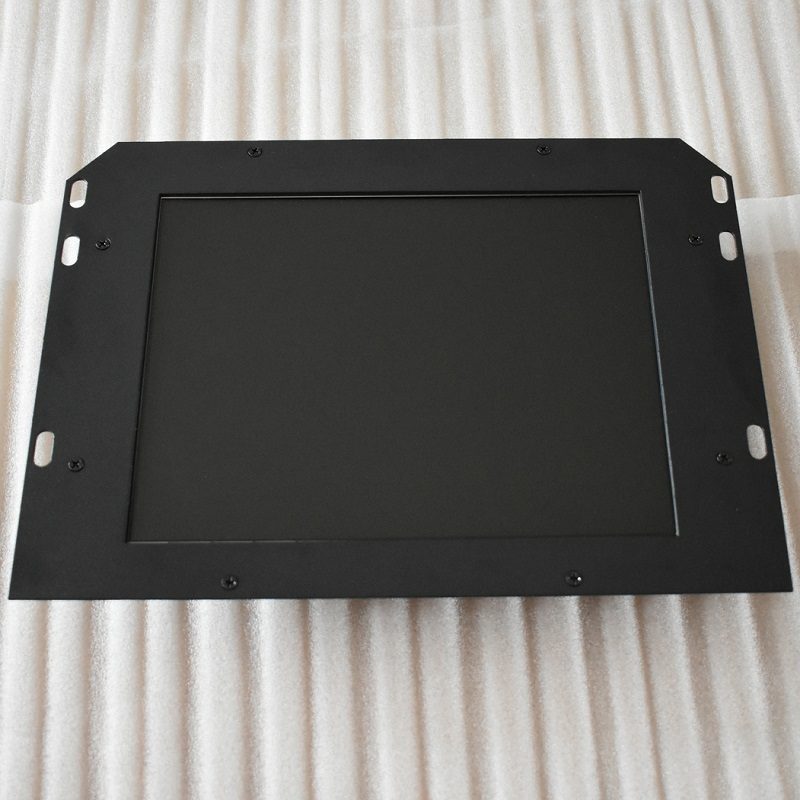
Kongto Technology developed the KTV148 series industrial LCD replacement module specifically for the FANUC A61L-0001-0074 CRT. This module uses an industrial-grade TFT-LCD panel with LED backlight, providing a direct, drop-in replacement without any modification to the CNC system.
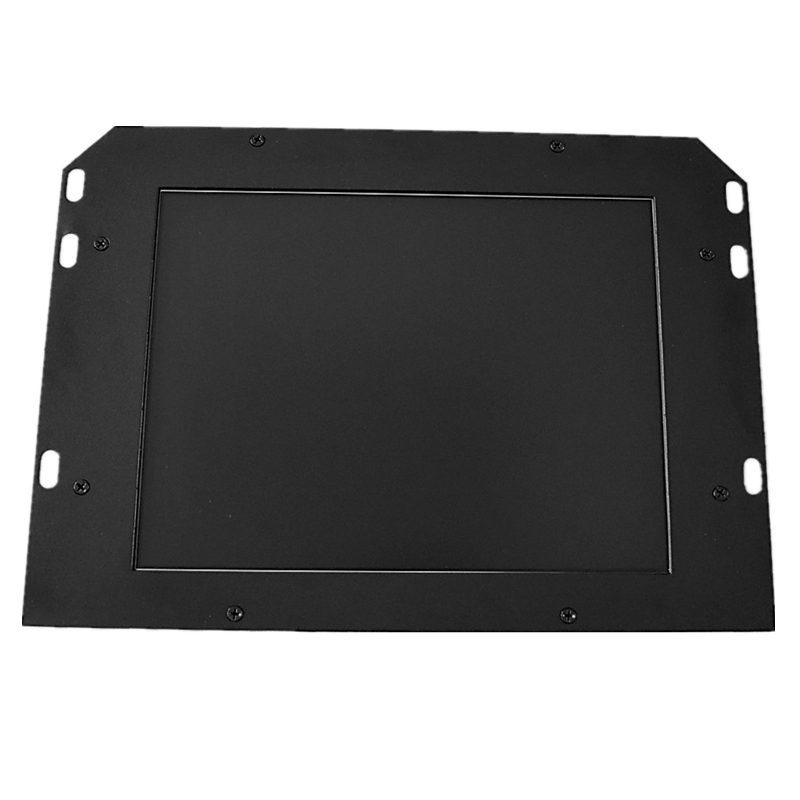
3.1 LCD Replacement Module Specifications
| Parameter | Specification |
|---|---|
| Model | KTV148 (for A61L-0001-0074) |
| Display Type | 12.1-inch Industrial TFT LCD with LED Backlight |
| Resolution | 800×600 (backward compatible with 640×480 input signals) |
| Color Depth | 262,144 true colors (18-bit) |
| Brightness | 400 cd/m² (stable, non-decaying) |
| Viewing Angle | Industrial-grade wide viewing angle (160°/140°) |
| Interface | HONDA 20-pin, fully compatible with original CRT signals |
| Power Input | AC 100-240V, using the original machine mains supply (no additional power adapter required) |
| Power Consumption | 7-10W (70% lower than original CRT) |
| Service Life | 50,000+ hours (equivalent to 15+ years of 3-shift operation) |
| Operating Temperature Range | -10°C to +60°C |
| Storage Temperature Range | -20°C to +70°C |
| Environmental Compliance | Meets IEC industrial shock and vibration standards; dust-proof, oil-resistant front panel |
| MTBF | >100,000 hours |
3.2 System Compatibility
The KTV148 LCD retrofit kit supports the following CNC systems:
- FANUC 0i / 0i-Mate / 0i-TMate series
- FANUC 16i / 18i / 21i series CNC systems
- Shenzhen CNC systems equipped with A61L-0001-0074 CRT
- Vertical machining centers, CNC lathes, grinders, and milling machines using 14-inch color CRT displays
4. CRT vs. LCD Performance Comparison
| Parameter | Original CRT | Kongto Industrial LCD (KTV148) |
|---|---|---|
| Display Technology | 14-inch Color CRT (Obsolete) | 12.1-inch Industrial TFT LCD |
| Resolution | 640×480 | 800×600 (backward compatible) |
| Brightness | ~200 cd/m² (rapid decay with age) | 400 cd/m² (stable, non-decaying) |
| Color Depth | 16 colors / 8 colors | 262,144 true colors |
| Power Consumption | 35-45W (high) | 7-10W (low, 70% energy saving) |
| Service Life | 10,000-15,000 hours | 50,000+ hours |
| Operating Temperature | 0-40°C | -10-+60°C |
| Image Stability | Flicker and distortion prone | Zero flicker, stable output |
| Safety | High-voltage risk (10-15kV) | No high-voltage section |
| Installation | Original unit only, no replacement options | Direct drop-in replacement, no modification |
| Maintenance | Requires periodic focus/brightness adjustment | Maintenance-free, set-and-forget |
5. Standard Installation Procedure (30-40 Minutes)
The KTV148 LCD module is designed for direct mechanical and electrical compatibility with the original A61L-0001-0074 CRT. No CNC system parameter changes are required. The entire retrofit can be completed in 30-40 minutes.
5.1 Safety Preparation
- Shut down and disconnect the main power supply of the CNC system. Ensure complete power isolation.
- Allow 8-10 minutes for internal high-voltage capacitors to fully discharge. Verify with a multimeter if possible.
- Use proper ESD protection (anti-static wrist strap) to prevent electrostatic damage to the LCD module's electronic components.
- Take photographs of the existing wiring and CRT orientation before disconnection for reference during reinstallation.
5.2 Original CRT Removal
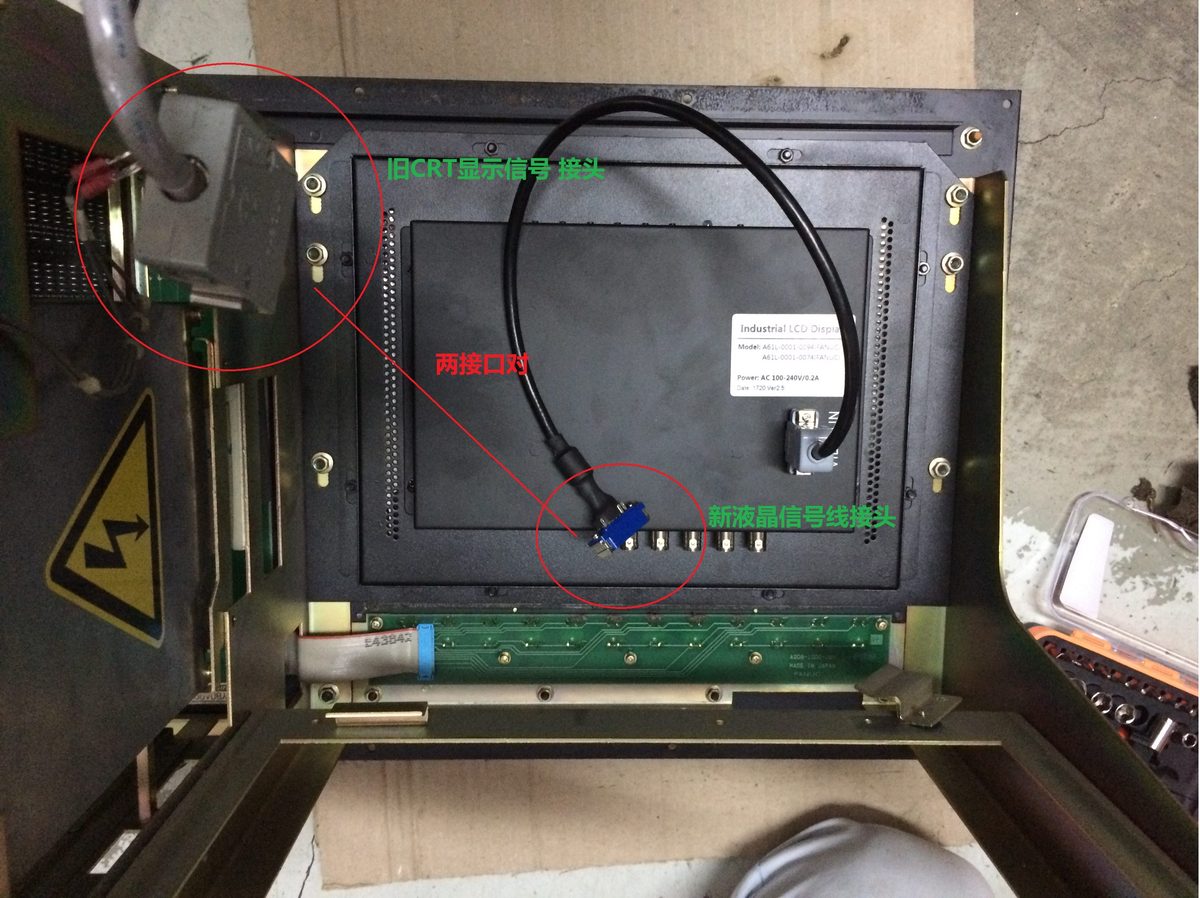
- Disconnect the HONDA 20-pin signal cable from the rear of the CRT. Press the release latch and pull firmly but gently.
- Disconnect the AC supply cable from the CRT power connector.
- Remove 4-6 mounting screws (typically M4 or M5) that secure the CRT bezel to the control cabinet.
- Carefully extract the CRT assembly from the cabinet. CRT units are heavy (8-12kg) and fragile; use proper lifting technique and avoid shaking.
5.3 LCD Module Installation
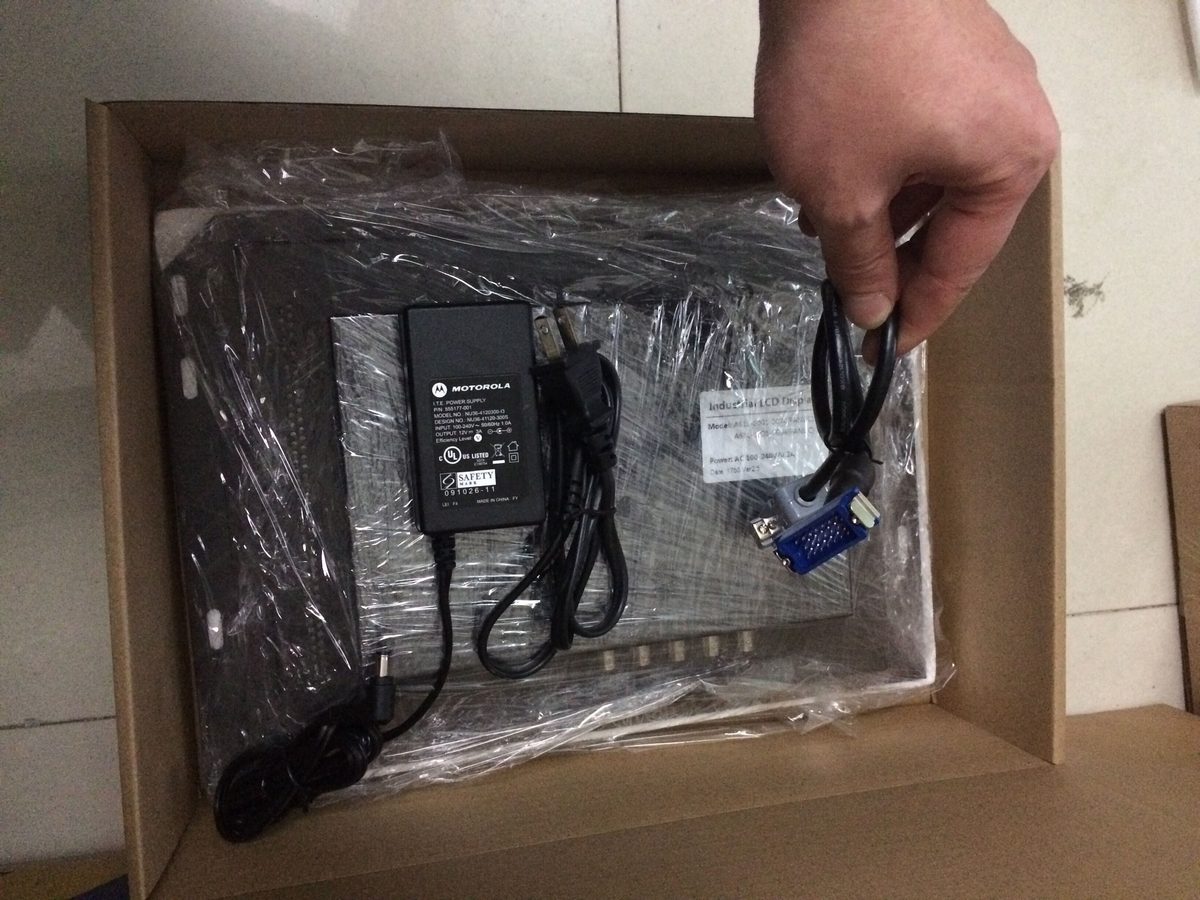
- Unpack the KTV148 LCD module. Inspect for shipping damage. Verify the model label matches A61L-0001-0074 compatibility.
- Position the LCD module into the original CRT mounting space. The KTV148 is designed with identical outer dimensions (194×146mm mounting hole pattern).
- Align the mounting holes. The module is keyed (cannot be installed incorrectly). Gently push until the module sits flush against the cabinet panel.
- Secure with the original 4-6 mounting screws. Do not overtighten; snug fit is sufficient. Overtightening can distort the front panel and affect display uniformity.
5.4 Cable Connection
- Connect the HONDA 20-pin signal cable to the LCD module's signal interface. The connector is keyed; if it doesn't slide in easily, do not force it. Reverse and retry.
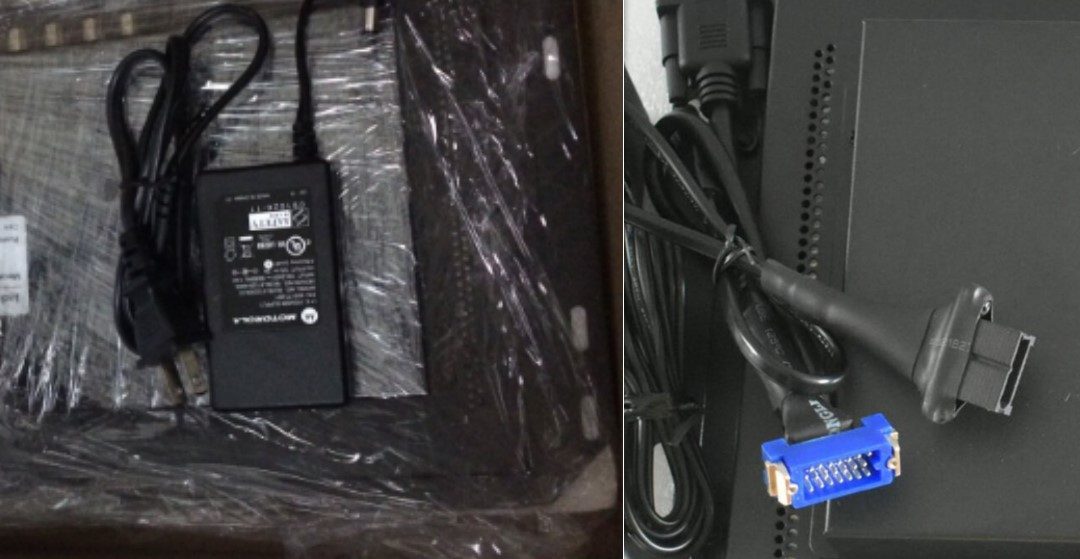
- Connect the original AC supply cable to the LCD module's power connector. The KTV148 operates directly from the machine's existing AC 100-240V supply; no additional power adapter or voltage converter is needed.
- Ensure all connectors are fully seated and the locking latches (if present) are engaged. Gently tug on each connector to verify secure connection.
5.5 Power-On Test and Calibration
- Restore main power to the CNC system. Power on the system using the standard procedure.
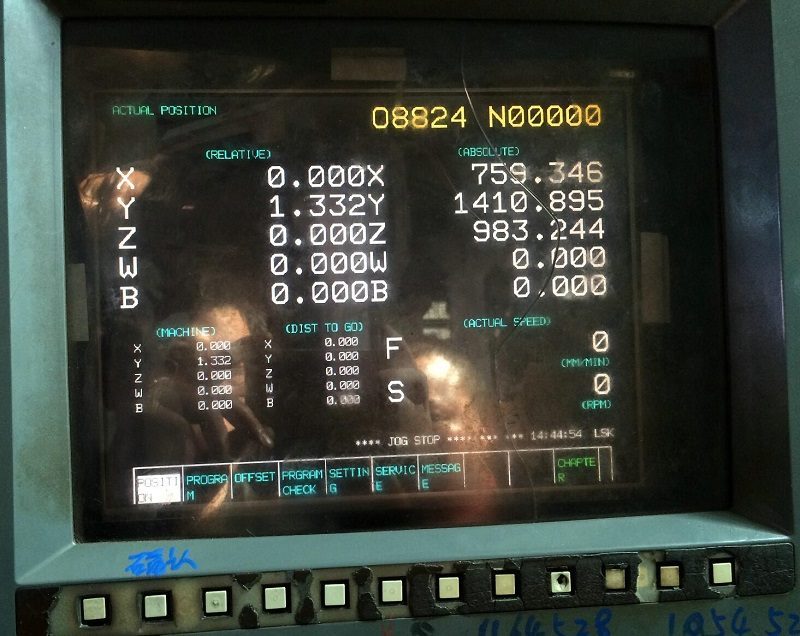
- The KTV148 LCD module will display the CNC boot screen automatically. No manual switching or mode selection is required.
- Verify display clarity: text characters should be sharp and well-defined at all screen positions.
- Verify color accuracy: G-code syntax highlighting, alarm messages (typically red or yellow), and menu colors should display correctly.
- Adjust brightness and contrast via the OSD (On-Screen Display) menu if needed. The OSD is accessed via buttons on the front or side panel of the LCD module.
- Adjust screen position and phase via OSD if the image is shifted or has residual flicker. The auto-adjust function typically resolves positioning issues in <10 seconds.
- Run the CNC system for at least 30 minutes to verify thermal stability. The LCD module should operate without overheating or image degradation.
Important Notes:
- The entire retrofit process requires no modification to CNC system parameters. The KTV148 is electrically and mechanically transparent to the CNC controller.
- Do not attempt to open the CRT housing. CRT units contain high-voltage components (10-15kV) that retain dangerous charge for hours after power disconnection.
- If the LCD module fails to display after installation, first verify the HONDA 20-pin connector is fully seated. Then check the AC 100-240V supply voltage at the connector.
6. Key Technical Advantages
- 1:1 Mechanical Compatibility: The KTV148 LCD module replicates the original CRT's exact outer dimensions and mounting hole pattern (194×146mm). No drilling, cutting, or cabinet modification is required. Installation uses the original screw holes.
- Full Signal Compatibility: The HONDA 20-pin interface is electronically compatible with the original CRT signal protocol. No signal adapters, rewiring, or CNC parameter changes are needed. The LCD module automatically detects and locks to the input signal timing.
- High-Brightness, Wide Viewing Angle LCD: The industrial-grade TFT panel provides 400 cd/m² brightness, ensuring clear visibility under strong workshop lighting, overhead cranes, or direct sunlight through windows. The wide viewing angle (160°/140°) allows the operator to read the screen from various positions.
- Low Power Consumption, Reduced Thermal Load: The KTV148 consumes only 7-10W, compared to 35-45W for the original CRT. This reduces the thermal load inside the electrical cabinet, potentially extending the lifespan of other electronic components (drives, power supplies, motherboards).
- Extended Service Life, Reduced Downtime: With a rated lifespan of 50,000+ hours (vs. 10,000-15,000 hours for CRT), the LCD module eliminates unplanned display failures. This is particularly critical for 24/7 production environments where downtime costs thousands of dollars per hour.
- Industrial-Grade Construction: The KTV148 is housed in a die-cast aluminum alloy enclosure that provides electromagnetic shielding, vibration resistance (meets IEC 60068-2-6), and dust/oil resistance. The front panel is sealed to IP54 standards.
- Zero High-Voltage Hazard: Unlike CRT displays that operate at 10-15kV, the LCD module uses only low-voltage power and has no high-voltage section. This eliminates the risk of high-voltage leakage, arcing, or electrical shock during maintenance.
- OSD Menu for Fine Adjustment: The built-in OSD (On-Screen Display) allows adjustment of brightness, contrast, screen position, phase, clock, and color temperature. The menu is navigated via front-panel buttons and can be locked to prevent accidental changes.
7. Operation and Maintenance Guidelines
7.1 Periodic Inspection (Every 6 Months)
- Inspect the HONDA 20-pin signal cable connector for looseness, oxidation, or bent pins. Reseat the connector if necessary.
- Check the AC supply cable and connector for a tight connection. Measure the supply voltage at the connector under load.
- Inspect the LCD module's front panel for dust, oil splashes, or chemical residue. Clean with a soft, lint-free cloth lightly dampened with isopropyl alcohol (70% or higher). Do not use ammonia-based cleaners (e.g., Windex), as they can damage the anti-glare coating.
- Verify that the OSD menu is still accessible and that display parameters (brightness, contrast, position) have not drifted.
7.2 Long-Term Storage and Backup
- If the original CRT is still functional, store it as a temporary backup. Keep it in a dry, temperature-controlled environment (15-25°C, <60% RH).
- Spare KTV148 modules can be stored for 5+ years without degradation. Rotate stock if multiple spares are kept.
7.3 Troubleshooting Guide
| Symptom | Possible Cause | Corrective Action |
|---|---|---|
| No display after installation | HONDA 20-pin connector not fully seated; AC supply not connected | Reseat connectors; verify the supply voltage at the power connector |
| Image shifted or has black border | Screen position needs adjustment | Use OSD menu to adjust position (auto-adjust also available) |
| Flickering or unstable image | Signal timing mismatch; phase needs adjustment | Use OSD to adjust phase and clock frequency |
| Color incorrect (e.g., red tint) | Signal cable pin bent or broken; OSD color temperature set incorrectly | Inspect cable; reset OSD to factory defaults |
| LCD module overheats | Insufficient ventilation in electrical cabinet; ambient temperature >60°C | Improve cabinet ventilation; verify operating temperature range |
8. Warranty and Technical Support
8.1 Warranty Terms
| Item | Coverage |
|---|---|
| Standard Warranty Period | 2 years from date of purchase (longest in the industry) |
| Warranty Scope | Covers manufacturing defects, component failure under normal use, backlight failure, and image quality degradation |
| Exclusions | Physical damage from improper handling, liquid ingress, unauthorized modification, or power supply voltage outside 21-27V DC range |
| Repair or Replace | Kongto Technology will, at its discretion, repair or replace the defective unit. Replacement is typically same-day or next-day (for in-stock items). |
| Return Shipping | Kongto Technology covers return shipping costs for warranty claims (within China). International shipping costs are shared. |
8.2 Technical Support Services
- Lifetime Free Technical Consultation: Phone, email, and remote desktop support are provided free of charge for the entire service life of the product.
- Installation Video and Documentation: Free access to HD installation video (with English/Chinese subtitles) and downloadable PDF installation guide.
- Remote Diagnostic Support: For complex issues, Kongto engineers can connect remotely (via TeamViewer, AnyDesk, or WeChat) to diagnose and resolve problems.
- On-Site Support (Optional): For large-scale retrofits (10+ machines), on-site installation support and training can be arranged (travel and accommodation costs borne by customer).
8.3 Supply and Lead Time
- In-Stock Production: KTV148 modules are typically in stock (100+ units). Orders placed before 12:00 PM (GMT+8) ship the same day via SF Express (next-day delivery within China).
- International Orders: Shipping via DHL/FedEx/UPS (3-5 business days). Kongto Technology handles export documentation and customs clearance assistance.
- Customization: For OEM orders (100+ units), custom label, packaging, and minor hardware modifications are available (lead time: 2-3 weeks).
Contact Us
Kongto Technology Co., Ltd. — Specialist in industrial video display retrofit solutions since 2011.
- 📧 Email: [email protected]
- 📞 Phone / WeChat: +86-13686889647
- 🌐 Website: cncdisplay.com
- 🏢 Address: Shenzhen, Guangdong, China
- 🕐 Business Hours: Monday-Friday 09:00-18:00 (GMT+8)
We have successfully retrofitted 500+ FANUC CNC systems with KTV-series LCD modules. 99% customer satisfaction rate. Contact us today for a quotation or technical consultation.