FANUC A61L-0001-0093 Display FAQ Solutions
Table of Contents
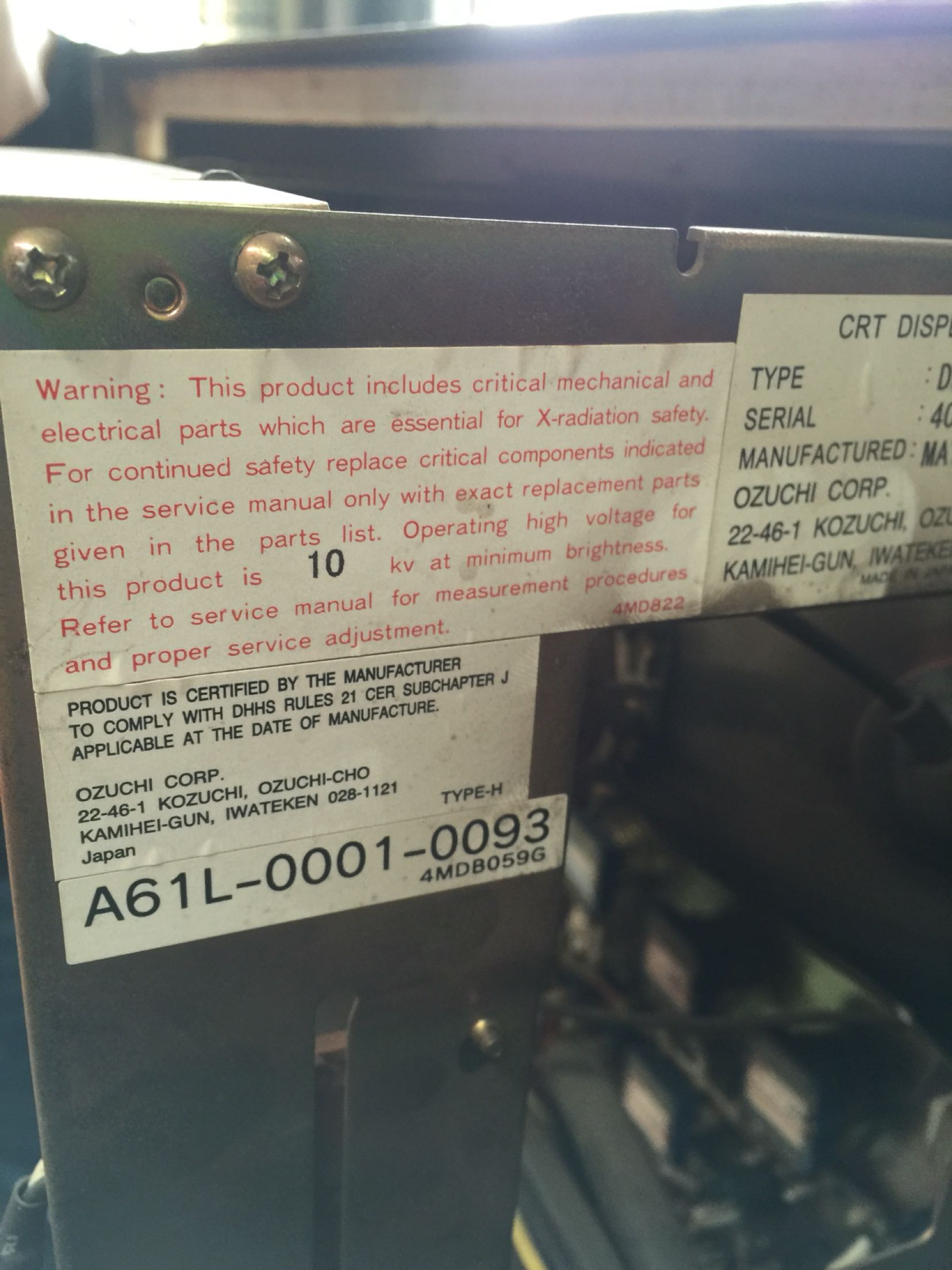
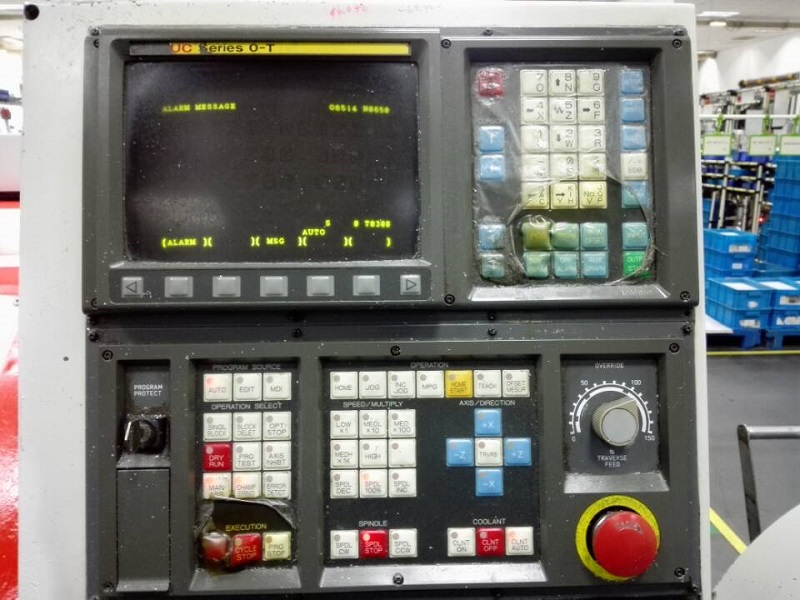
Q1: No Display at All
FANUC A61L-0001-0093 LCD Display Replacement —Symptoms: Screen completely black, no power indicator light.
Possible Causes:
- Power supply failure (no 24V DC input)
- Blown fuse (usually 2A/250V slow-blow)
- Mainboard damage (power board failure)
- Power cable disconnection or loose pins
Solutions:
- Check input voltage with multimeter (should be 24V DC 卤10%)
- Inspect and replace fuse if blown (check for short circuits first!)
- Test power board output voltage
- Replace power board or mainboard if faulty
- Check HONDA 20-pin connector pin 1&2 for 24V DC
Q2: Dim or Dark Display
Symptoms: Image barely visible, very dark screen, needs warm-up time.
Possible Causes:
- CRT aging (filament emission decreased by 50%+)
- High-voltage section failure (no high voltage output)
- CRT phosphor layer aging (brightness reduced)
- Focus/grid voltage adjustment drifted
Solutions:
- Check brightness settings in FANUC parameters (if applicable)
- Measure high-voltage output (should be 15-25kV)
- Listen for high-pitched whine (indicates HV section working)
- CRT replacement not economical →?Consider LCD upgrade
- Kongto LCD upgrade kit provides instant-on, bright display
Q3: Distorted or Discolored Image
Symptoms: Colors incorrect, ghosting, flickering, image not clear.
Possible Causes:
- HONDA 20-pin connector loose or oxidized pins
- Signal cable damage (broken wires inside cable)
- CRT electron gun aging (color purity deteriorated)
- EMI interference from nearby equipment
- CRT convergence problem (image not sharp)
Solutions:
- Power off CNC system, re-seat HONDA 20-pin connector
- Inspect cable for broken wires or damaged pins
- Clean connector pins with contact cleaner (isopropyl alcohol)
- Add ferrite cores to signal cables (reduce EMI)
- Route signal cables away from power lines (min 30cm separation)
- Replace signal cable if damaged
- For CRT convergence issues: Not repairable →?Upgrade to LCD
Q4: Flickering Screen
Symptoms: Screen flickers intermittently, unstable image, eye strain.
Possible Causes:
- CRT filament aging (emission unstable)
- High-voltage section unstable (HV arcs or regulation problem)
- Loose power connection (vibration-related)
- Voltage fluctuation (below 21.6V or above 26.4V)
Solutions:
- Check input voltage stability (should be 24V DC 卤10%)
- Secure all power connections with cable ties (anti-vibration)
- Check for overheating (ventilation blocked?)
- Install voltage stabilizer if power supply unstable
- Flickering is sign of CRT end-of-life →?Upgrade to LCD (no flicker)
Q5: Touch Screen Not Working (if equipped)
Symptoms: Touch screen unresponsive or inaccurate (for touch-equipped A61L-0001-0093).
Possible Causes:
- Touch controller board failure
- Touch panel surface damage or contamination
- Calibration lost (needs re-calibration)
- Touch panel disconnection (ribbon cable loose)
Solutions:
- Re-calibrate touch screen in FANUC settings (parameter adjustment)
- Check touch panel connection cable (ribbon cable)
- Clean touch screen surface (soft cloth, mild detergent)
- Replace touch controller board if faulty
- Replace touch panel if damaged (requires complete disassembly)
Q6: When to Consider LCD Upgrade
Consider LCD upgrade when:
- Display is 12+ years old (typical CRT lifespan is 10-15 years)
- Repair costs exceed 50% of upgrade kit price
- CRT replacement parts unavailable or very expensive
- Frequent display failures affecting production (downtime costs)
- Image quality no longer acceptable for precision work
- Flickering causes operator eye strain or fatigue
Benefits of LCD Upgrade:
| Feature | CRT (Old A61L-0001-0093) | LCD (Kongto Upgrade) |
|---|---|---|
| Resolution | 640×480 (VGA) | 1024×768 (XGA) |
| Power Consumption | 60-80W | 15-20W (70%+ energy savings) |
| Weight | 8-12 kg | 3-5 kg (60%+ weight reduction) |
| Lifespan | 10-15 years | 15-20+ years |
| Warm-up Time | 2-5 minutes | Instant-on (0 seconds) |
| Image Stability | Flicker (50/60Hz) | No flicker (stable image) |
| Brightness | Degrades over time | Stable brightness (LED backlight) |
Q7: LCD Upgrade Process (Kongto Kit)
- Power Off: Shut down CNC system, disconnect main power, wait 5+ minutes for CRT high-voltage discharge
- Remove Old CRT: Unbolt CRT from mounting brackets, disconnect HONDA 20-pin connector, carefully remove CRT (heavy! 8-12kg)
- Install LCD Panel: Mount LCD panel using provided bracket (matches original CRT mounting holes exactly)
- Connect HONDA 20-pin: Plug HONDA 20-pin connector into LCD controller board (plug-and-play, no wiring modification)
- Test: Power on CNC system, verify display works correctly, check image clarity
- Secure Installation: Tighten all mounting screws, route cables neatly with cable ties
Installation Time: 30-60 minutes (vs 2-3 days for CRT replacement)
Tools Required: Phillips screwdriver, pliers, multimeter (for voltage verification)
Q8: Prevention Tips
- Regular Cleaning: Clean dust from ventilation openings every 6 months (compressed air recommended)
- Voltage Monitoring: Install 24V DC surge protector to prevent power spikes (CRT very sensitive to voltage spikes)
- Proper Grounding: Ensure display and CNC system properly grounded (resistance < 1惟)
- Cable Management: Secure cables with cable ties to prevent strain on HONDA 20-pin connector (vibration protection)
- Environmental Control: Maintain temperature 0-40°C, humidity 20-80% RH (CRT performance degrades in high humidity)
- Preventive Maintenance: Schedule annual inspection by qualified technician (check voltages, connections, image quality)
- Avoid Impact: Do not place heavy objects on display, avoid physical shocks (CRT glass is fragile)
- Upgrade Consideration: If display is 12+ years old, proactively upgrade to LCD (avoid unexpected failure during production)
Kongto Technology A61L-0001-0093 LCD Upgrade Kit
Kit Includes:
- 10.4" Industrial LCD Panel (1024×768 resolution, LED backlight)
- LCD Controller Board (HONDA 20-pin compatible, plug-and-play)
- Mounting Bracket (matches original CRT mounting holes exactly)
- Installation Manual (English/Chinese)
- 18-Month Warranty (extendable to 3-5 years)
Technical Specifications:
- Input Voltage: 24V DC 卤10% (compatible with original CRT power)
- Power Consumption: 15-20W (vs 60-80W CRT)
- Operating Temperature: -20°C to +70°C
- MTBF: 鈮?0,000 hours (vs 10-15 years CRT)
- Signal Interface: HONDA 20-pin (compatible with FANUC 0i/16i/18i)
For professional LCD upgrade solutions, technical consultation, or to order upgrade kit, contact Kongto Technology:
- Email: [email protected]
- Phone: +86 13686889647
- Website: https://cncdisplay.com/