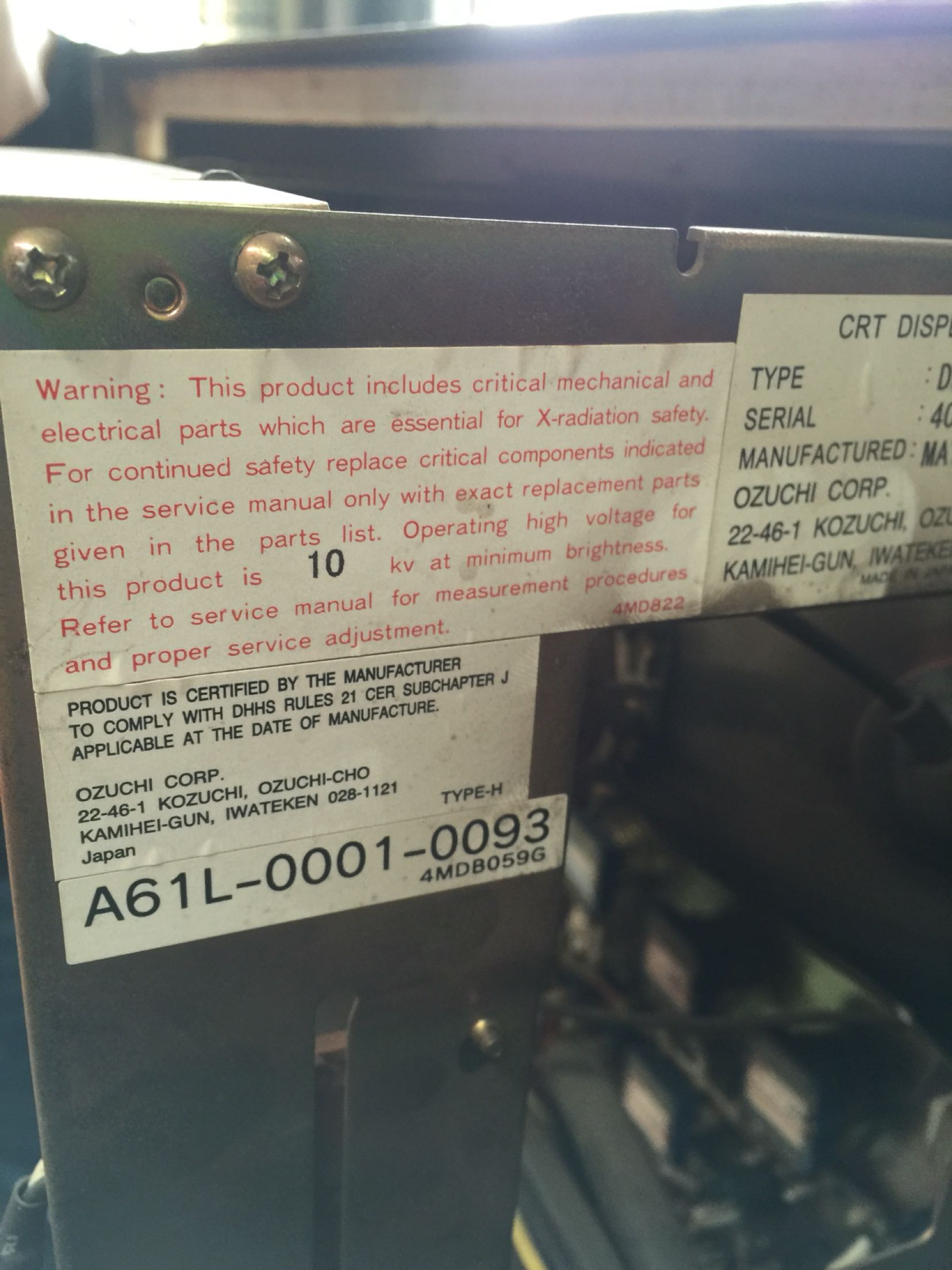
FANUC A61L-0001-0093 Display Abnormality Troubleshooting
Table of Contents
1. Overview of A61L-0001-0093
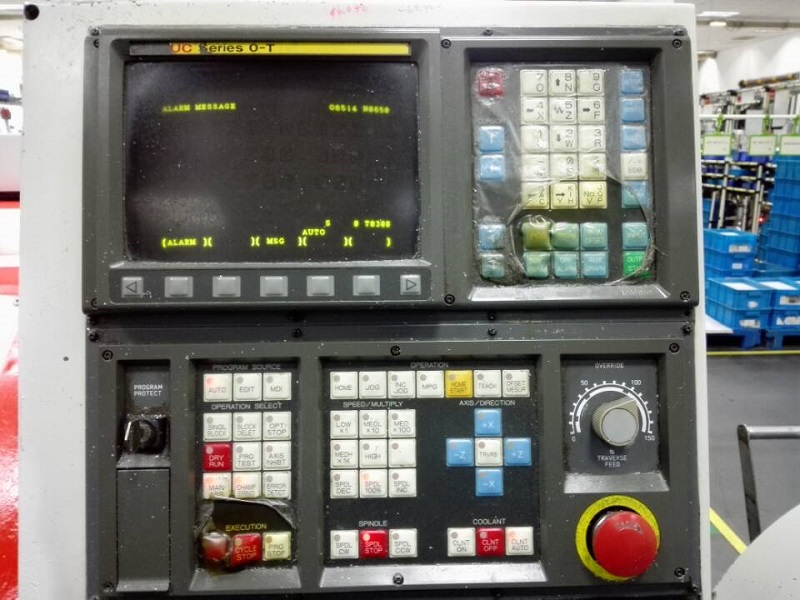
The FANUC A61L-0001-0093 is a 10.4-inch CRT display originally equipped with FANUC 0i, 16i, and 18i series CNC systems. Manufactured in the 1990s-2000s, these displays are now reaching the end of their service life.
| Specification | Original CRT | LCD Upgrade (Kongto) |
|---|---|---|
| Display Size | 10.4 inch CRT | 10.4 inch LCD |
| Resolution | 640×480 (VGA) | 1024×768 (XGA) |
| Signal Interface | HONDA 20-pin | HONDA 20-pin (compatible) |
| Power Supply | 24V DC | 24V DC (compatible) |
| Power Consumption | 60-80W | 15-20W |
| Lifespan | 10-15 years | 15-20+ years |
| Warm-up Time | 2-5 minutes | Instant-on |
2. Common Faults
| Fault Type | Symptoms | Possible Causes |
|---|---|---|
| No Display | Screen completely black, no power | Power supply failure, fuse blown, mainboard damage |
| Dim Display | Image barely visible, very dark | CRT aging, filament failure, high-voltage failure |
| Distorted Image | Colors incorrect, ghosting, flickering | CRT electron gun aging, signal cable damage |
| Horizontal/Vertical Lines | Fixed lines on screen | CRT deflection coil failure, driver board issues |
| Frequent Shut-down | Display turns off intermittently | Overheating protection, component failure |
3. Diagnostic Steps
Step 1: Visual Inspection
- Check power indicator LED (should be green or orange)
- Inspect HONDA 20-pin connector for loose or damaged pins
- Look for physical damage (cracks, burns, swelling capacitors)
- Smell for burnt components
Step 2: Power Supply Test
- Measure input voltage at HONDA connector pin 1&2 (should be 24V DC 卤10%)
- Check fuse continuity (located on power board)
- Test power supply output with multimeter
- Verify grounding connection
Step 3: Signal Test
- Check HONDA 20-pin connector pinout (reference FANUC manual)
- Measure signal voltage levels (RGB: 0.7V p-p, Sync: TTL level)
- Test with known good signal source if possible
- Verify horizontal/vertical sync signals
Step 4: CRT Specific Tests
- Check CRT filament continuity (should be 0.5-2惟)
- Measure high-voltage output (should be 15-25kV)
- Listen for high-pitched whine (indicates high-voltage section working)
- Check for flicker (indicates CRT aging)
4. Power Supply Issues
4.1 Fuse Blown
Symptoms: No power indicator, completely dead display
Solution:
- Disconnect power and discharge capacitors (wait 5+ minutes)
- Locate and remove blown fuse (usually 2A/250V slow-blow)
- Check for short circuits before replacing (prevents immediate re-blow)
- Install new fuse and test
4.2 Power Board Failure
Symptoms: Fuse intact but no power output
Solution: Replace power board or repair damaged components (capacitors, transistors, diodes). Note: CRT high-voltage section is dangerous! Leave to qualified technicians.
5. Signal Problems
5.1 Loose or Damaged HONDA 20-pin Connector
Symptoms: Intermittent display, flickering, "No Signal" message
Solution:
- Power off CNC system
- Re-seat HONDA 20-pin connector (ensure all pins engaged)
- Inspect cable for broken wires or damaged pins
- Replace cable if damaged
- Apply contact cleaner to connector pins
5.2 EMI Interference
Symptoms: Ghosting, distorted image, random flickering
Solution:
- Check grounding of display and CNC system (resistance < 1惟)
- Add ferrite cores to signal cables
- Re-route signal cables away from power lines (min 30cm separation)
- Install EMI filters if necessary
6. CRT Failure Symptoms
6.1 CRT Aging (Most Common)
Symptoms: Dim display, takes 5+ minutes to warm up, flickering, colors shifted
Causes:
- CRT filament aging (emission capability decreased)
- Phosphor layer aging (brightness reduced by 50%+)
- Electron gun aging (focus deterioration)
Solution: CRT replacement is not economical. Recommended to upgrade to LCD. LCD upgrade kit costs ~CNY 2,500-3,500, while CRT replacement part is rare and expensive (if available at all).
6.2 High-Voltage Section Failure
Symptoms: No high-voltage output, screen completely dark, no filament glow
Solution: Dangerous to repair! High-voltage section operates at 15-25kV. Recommend replacing entire display or upgrading to LCD.
7. Repair vs Upgrade
| Option | Pros | Cons | Cost | Recommended? |
|---|---|---|---|---|
| Component-Level Repair | Lowest cost | Requires skilled technician, time-consuming, unreliable | ~CNY 200-500 | 鉂?No (temporary fix) |
| Board Replacement | Faster than component repair | Hard to find parts, may need adjustment | ~CNY 800-1500 | 鉂?No (parts scarce) |
| CRT Replacement | Keeps original appearance | CRT parts obsolete, very expensive if available | ~CNY 3000-5000 | 鉂?No (not recommended) |
| LCD Upgrade Kit | Modern technology, long lifespan, improved image, plug-and-play | Higher initial cost | ~CNY 2500-3500 | 鉁?Yes (recommended) |
8. LCD Upgrade Benefits
- Plug-and-Play: Direct replacement using original HONDA 20-pin connector, no wiring modification
- Improved Image: 1024×768 resolution vs 640×480 (CRT), clearer text and graphics
- Energy Efficient: 15-20W vs 60-80W (CRT), 70%+ energy savings
- Instant-On: No warm-up time, display appears immediately
- Long Lifespan: 15-20+ years vs 10-15 years (CRT)
- No Flicker: Stable image, reduces eye strain for operators
- Thin and Light: LCD panel only 3-5 kg vs 8-12 kg (CRT)
- Wide Temperature: -20°C to +70°C operating range
9. When to Upgrade (Decision Flowchart)
- Is the display 10+ years old? →?Yes: Upgrade recommended
- Is the image dim or flickering? →?Yes: Upgrade recommended
- Have you repaired it 2+ times in past year? →?Yes: Upgrade recommended
- Are replacement parts unavailable or expensive? →?Yes: Upgrade recommended
- Is production downtime costly? →?Yes: Upgrade recommended (LCD is more reliable)
Kongto Technology A61L-0001-0093 LCD Upgrade Kit Includes:
- 10.4" Industrial LCD Panel (1024×768)
- LCD Controller Board (HONDA 20-pin compatible)
- Mounting Bracket (matches original CRT mounting holes)
- Installation Manual
- 18-Month Warranty
For professional LCD upgrade solutions and technical consultation, contact Kongto Technology:
- Email: [email protected]
- Phone: +86 13686889647
- Website: https://cncdisplay.com/