Okuma OSP CRT to LCD Upgrade Guide
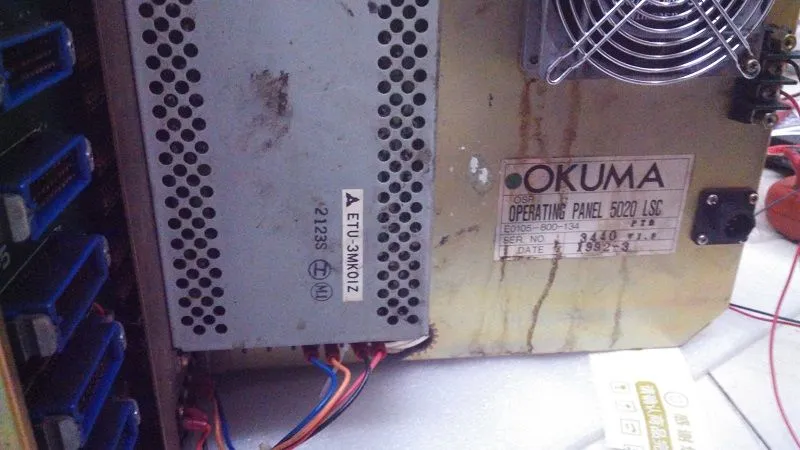
Okuma OSP (Okuma Specialized Platform) controls the company's renowned CNC lathes and machining centers. The CRT displays used on OSP500L-G, 5000, 5020, and 7000 series are now failing due to age — and replacement CRTs are virtually impossible to find.
This guide covers monochrome and color CRT replacements for Okuma machines, with specifications for MDT-1005 and related models.
Okuma CRT Model Cross-Reference
| CRT Model | Type | Size | Interface | LCD | Price | Compatible OSP |
|---|---|---|---|---|---|---|
| MDT-1005 | Monochrome | 12" | 14-pin | 12.1" LCD | $350 | OSP500L-G |
| Okuma 5000 CRT | Monochrome | 12" | 14-pin | 12.1" LCD | $350 | OSP5000, 5020 |
| Okuma 5020 CRT | Monochrome | 12" | 14-pin | 12.1" LCD | $350 | OSP5020 |
| Okuma 7000 CRT | Color CRT | 14" | 20-pin | 12.1" LCD | $350 | OSP7000 |
Specification Comparison
| Spec | Original Okuma CRT | Kongto LCD Upgrade |
|---|---|---|
| Resolution | 640x400 | 800x600 |
| Brightness | ~200 cd/m2 | 350-450 cd/m2 |
| Lifespan | ~15,000 hrs | 50,000+ hrs |
| Power | DC 24V | DC 24V (original) |
| Temp Range | 0~40C | -10~+60C |
Installation
1. Power Down
Turn off OSP system. Disconnect from mains. Wait 2 minutes.
2. Remove CRT
Unscrew housing. Disconnect signal cable and DC 24V power.
3. Install LCD
Mount into original position. Holes align. Use original screws.
4. Test
Power on. LCD displays automatically. Adjust with OSD.
Okuma OSP Display Compatibility
Okuma OSP (Okuma Specialized Processor) controls from the 1990s through 2000s used CRT displays that are now reaching end-of-life. Common Okuma CRT models include:
- OSP5000 / OSP5000L-G — 14-inch color CRT, 9-pin DB-9 interface
- OSP5020 — 14-inch color CRT, similar to OSP5000
- OSP7000 — larger format, sometimes 15-inch CRT
- MDT-1005 — monochrome display used on older OSP models
Our KTV series LCD modules are compatible across this range. The key specification to verify is the signal pinout on your Okuma's display connector. Most Okuma OSP CRTs use a DB-9 connector with TTL-level RGB signals, which our modules decode natively.
A practical benefit of the LCD upgrade on Okuma machines: the module runs a higher 800x600 native resolution versus the 640x400 of the original CRT, so OSP status screens, alarm lists, and parameter pages render noticeably sharper and are easier to read on the shop floor.
Installation Notes Specific to Okuma
Okuma OSP controls often have the CRT integrated into the operator panel rather than a separate monitor housing. This means the LCD replacement mounts inside the existing panel cutout. A mounting adapter plate may be needed if the replacement LCD is smaller than the original CRT (e.g., 12.1" LCD replacing a 14" CRT). The adapter plate is included with our kits and bridges the size gap with a clean, professional finish.