Mitsubishi FCUA-CT100 Industrial Display
Mitsubishi FCUA-CT100 Industrial Display TFT Replacement — The Display Core for M500/M520 CNC Systems — TFT LCD Upgrade Solution
The Mitsubishi FCUA-CT100: Display Interface for M500/M520
The FCUA-CT100 is the core display interface for Mitsubishi M500/M520 CNC systems, responsible for signal transmission between the CNC controller and monitor. When the paired CRT monitor ages and fails, the FCUA-CT100 + MDT962B TFT combination provides a complete upgrade replacement solution — plug-and-play, thoroughly eliminating CRT aging and availability issues.
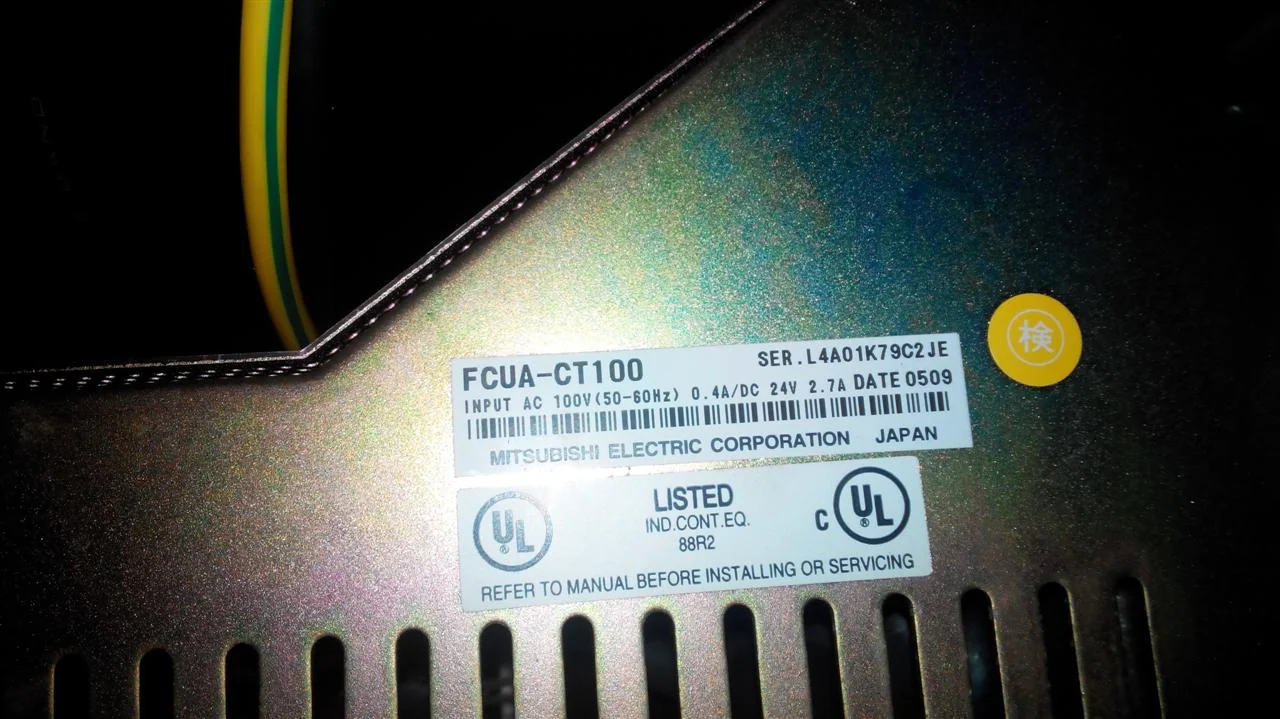
The FCUA-CT100 performs the critical function of converting CNC controller signals into display driver signals. When paired with our MDT962B TFT LCD replacement screen, it forms a complete modern display solution that eliminates all CRT-related issues.
Common CRT Failure Symptoms
After years of use, the original CRT monitors for M500/M520 systems commonly exhibit these issues. When you notice any of these symptoms, it's time to upgrade to TFT LCD.
Electron gun aging
Screen dims significantly; maxing out brightness/contrast doesn't help
High-voltage pack failure
Unable to power on or intermittent black screen — complete failure imminent
CRT tube burnout
Complete display failure, equipment downtime — production stops
Spare parts scarcity
Original CRT discontinued for years, inflated prices for unreliable used units
Operator eye strain
Flickering and unclear display causes fatigue during long operations
Rising maintenance costs
Professional CRT repair is expensive and provides only short-term fixes
The FCUA-CT100 interface board itself rarely fails. The problem is almost always the CRT monitor it drives. The solution: keep the FCUA-CT100 and replace only the CRT with our MDT962B TFT LCD.
Before / After: See the Difference
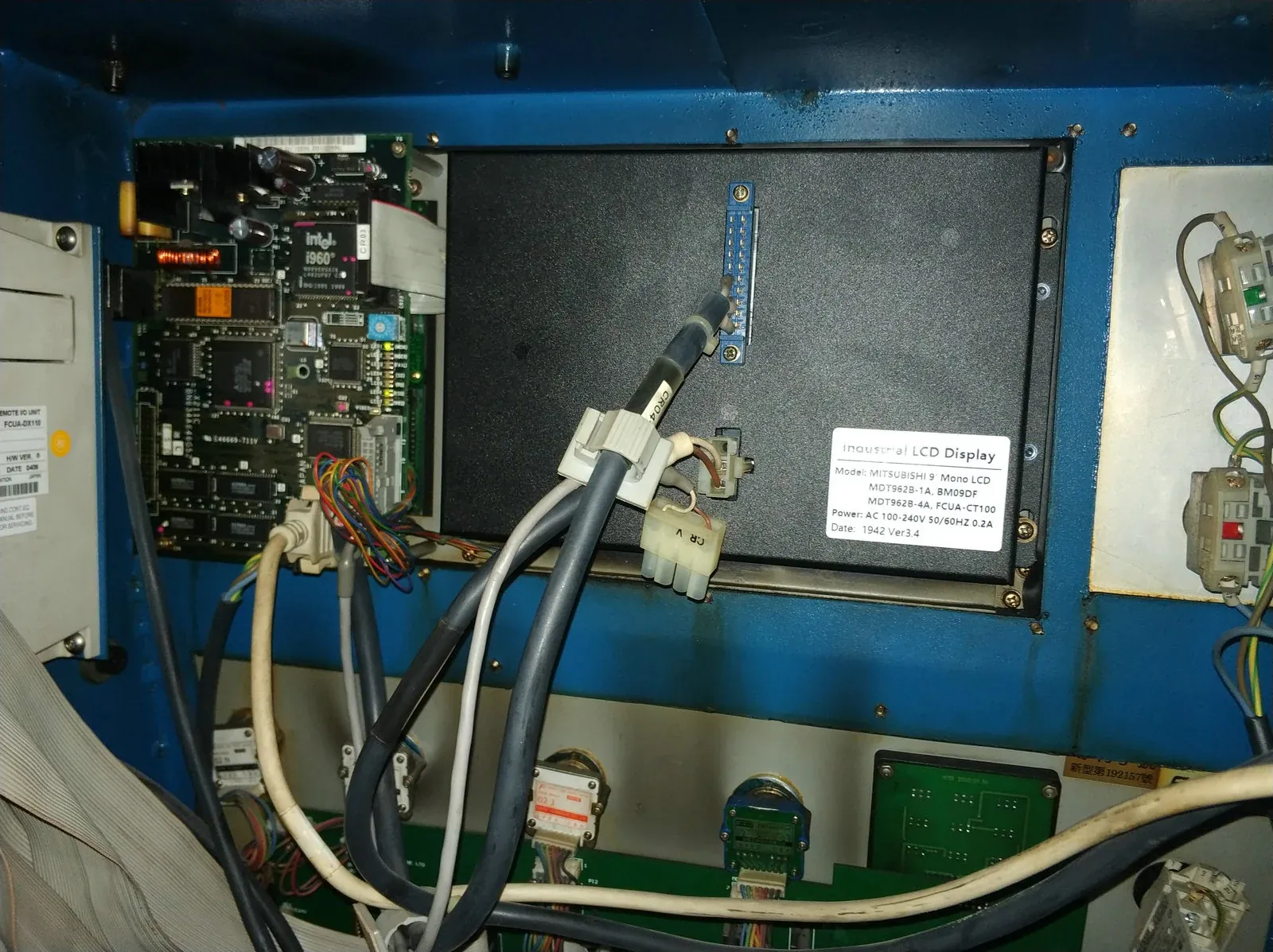
Real Installation Photos
Customer-submitted photos show the TFT LCD installed with FCUA-CT100 interface. The upgrade fits perfectly in the original mounting space.
Instant Boot, No Warm-Up
Old CRT requires 5-10 minutes to stabilize. The TFT LCD powers on immediately with a crisp, stable image — no waiting.
60% Less Heat
Original CRT runs at 25-30W. Our TFT LCD consumes ≤10W — cooler operation, longer machine component life.
The Complete TFT LCD Upgrade Solution
When FCUA-CT100 is used with MDT962B TFT replacement screen, it forms a complete CRT upgrade solution:
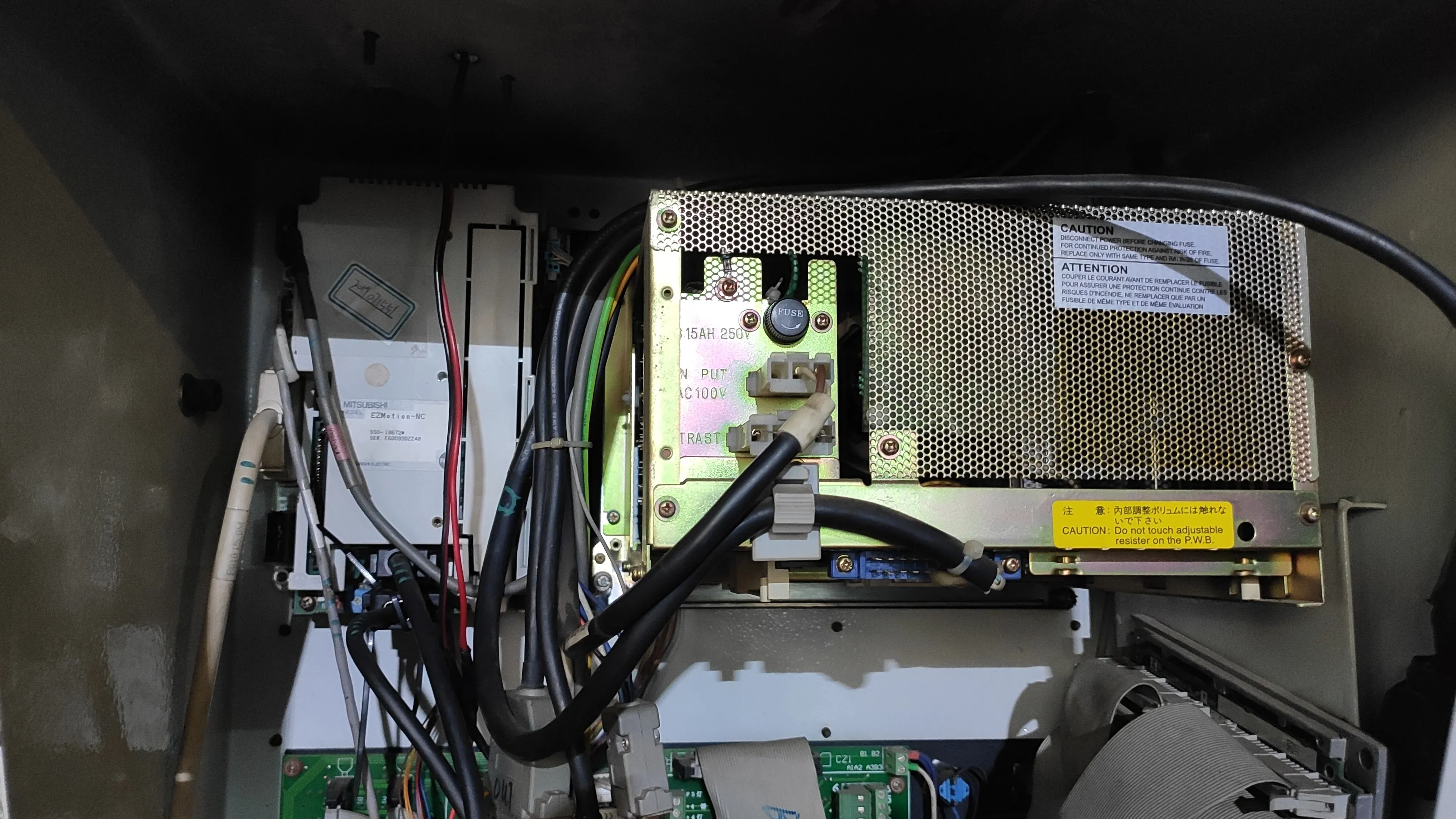
FCUA-CT100 Board Stays Unchanged
The original interface board remains untouched — no need to replace or reconfigure. It continues to perform its signal conversion function perfectly.
Only Replace the CRT Screen
Swap out the aging CRT monitor for our MDT962B TFT LCD screen. The physical mounting and signal connection are 100% compatible.
Direct Signal Connection
Signal cable connects directly from FCUA-CT100 to TFT LCD — no adapters needed. True plug-and-play installation.
Technical Specifications
| Parameter | Specification |
|---|---|
| Screen Size | 9 inches |
| Display Type | TFT Color LCD |
| Resolution | 800×600 (SVGA) |
| Signal Interface | FCUA-CT100 dedicated interface (plug-and-play) |
| Operating Voltage | AC 100-240V |
| Power Consumption | ≤10W (vs. CRT 25-30W) |
| Brightness | 250 cd/m2 |
| Contrast Ratio | 400:1 |
| Operating Temperature | -20°C ~ 70°C |
| Storage Temperature | -30°C ~ 85°C |
| Relative Humidity | 10%~90% (non-condensing) |
| Mounting Method | Direct replacement via threaded holes |
| MTBF | > 50,000 hours |
CRT vs. LCD: Side-by-Side Comparison
| Aspect | Original CRT + FCUA-CT100 | TFT LCD + FCUA-CT100 |
|---|---|---|
| Display Technology | CRT tube (obsolete) | TFT-LCD active matrix |
| Resolution | 640 × 480 (VGA) | 800 × 600 (SVGA) — higher clarity |
| Brightness | 150 cd/m2 (new) / < 80 cd/m2 (aged) | 250 cd/m2 — bright and clear |
| Power Consumption | 25-30W | ≤10W — 70% power savings |
| Service Life | 15,000 hours (typical) | 50,000+ hours — 3× longer |
| Boot Time | 5-10 minutes to warm up | Instant-on — no waiting |
| Flicker | Visible flicker — causes eye strain | Zero flicker — LED backlight |
| Maintenance | Frequent repairs needed | Maintenance-free — solid state |
| Availability | Extremely scarce; used units unreliable | Brand new; in-stock |
Real Customer Case Studies
Case #1: Automotive Parts Manufacturer — Six Machines Upgraded
Case #2: Precision Mold Workshop — 2001 Machining Center Modernized
Case #3: Technical University Training Center — Educational Equipment Revived
Why Choose Kongto Technology?
10+ Years of Specialization
Focused exclusively on industrial display replacement since 2013. FCUA-CT100 + MDT962B combination is one of our most deployed solutions for M500/M520 systems.
Proven Track Record
Hundreds of FCUA-CT100 upgrade installations completed worldwide. Our engineering team has refined the product based on real-world field data.
Technical Expertise
Our engineers understand the intricacies of Mitsubishi M500/M520 signal timing. The FCUA-CT100-to-TFT interface is perfectly matched.
Bilingual Documentation
Complete installation manual (English & Chinese) included. Step-by-step procedures and troubleshooting guide for successful first-time installation.
Fast Global Delivery
Standard FCUA-CT100-compatible TFT LCD units are in stock. We ship within 2 business days to most global destinations. Express shipping available.
2-Year Warranty
We stand behind our products with a full 2-year warranty. The FCUA-CT100 board (if purchased from us) and TFT LCD are both covered. Technical support included.
Step-by-Step Installation Guide
Installing the FCUA-CT100 + MDT962B TFT LCD upgrade is straightforward and can be completed in about 1 hour. No specialized tools or technical expertise required.
Power Down & Safety Check
Confirm equipment is completely powered off. Wait 5 minutes for high-voltage components to discharge. Verify no power indicator lights are illuminated.
Remove Original CRT Monitor
Unplug the CRT power and signal cables from the back of the monitor. Unscrew the mounting bolts (typically 4 screws). Carefully remove the CRT unit.
Install TFT LCD Screen
Position the new MDT962B TFT LCD into the same mounting holes. The hole pattern is 100% identical — no drilling or modifications needed. Secure with the original screws.
Connect FCUA-CT100 Signal Cable
Plug the TFT LCD signal cable into the FCUA-CT100 interface board. The connector is keyed — it only fits one way. No adapters or rewiring needed.
Power On & Test
Restore power to the machine. The TFT LCD will power on instantly — no warm-up time. Verify display clarity and run a test program to confirm everything works.
Complete!
Entire process requires no programming or parameter changes. The CNC system automatically recognizes the new display. Your machine is ready for production.
Pre-Installation Checklist
Please verify these items before beginning installation:
Wait 5 minutes after power off before touching any components
Located inside the machine cabinet — typically near the display mount
Signal cable and power cable should be in the kit — contact us if anything is missing
Bilingual (English/Chinese) manual included — or download from our website
Our engineers are available via phone/video call to guide you through the installation process. Don't hesitate to reach out — we're here to ensure your upgrade is successful.
Installation Photos
Real installation photos from our customers show the FCUA-CT100 + MDT962B TFT LCD replacement in action. These images demonstrate the professional results achieved with our plug-and-play upgrade kit.
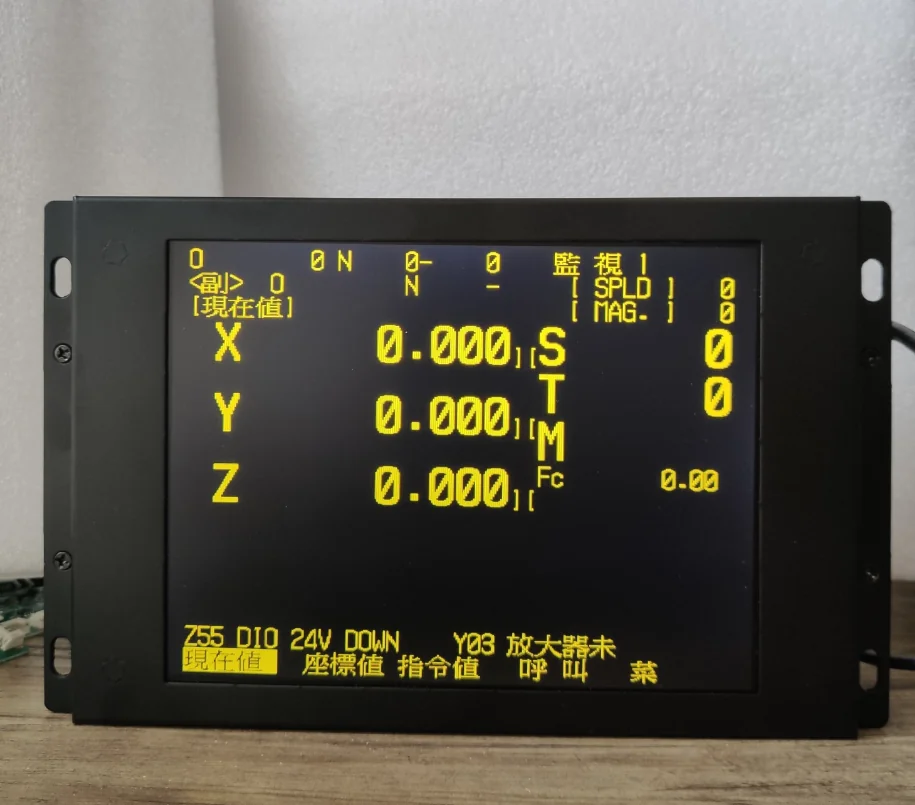
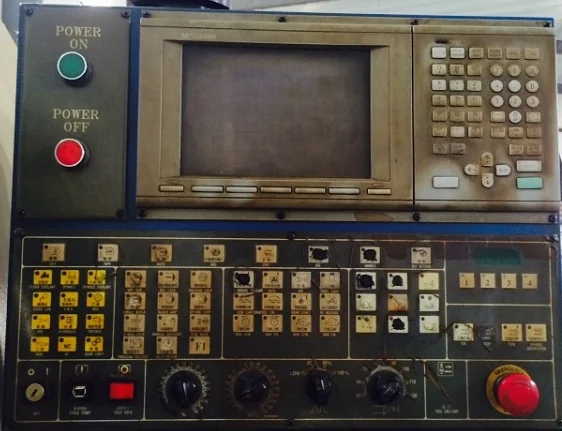
All photos shown are from real customer installations. The TFT LCD replacement fits perfectly in the original CRT mounting space with no modifications required.
Frequently Asked Questions
Q: Do I need to replace the FCUA-CT100 board too?
A: No! The FCUA-CT100 interface board rarely fails. Only the CRT monitor needs replacement. Our TFT LCD connects directly to the existing FCUA-CT100 board — plug-and-play.
Q: Will this work if my FCUA-CT100 board is old?
A: Yes. The FCUA-CT100 board's function is signal conversion, which doesn't degrade over time like CRT displays. As long as your FCUA-CT100 is functioning, it will work perfectly with our TFT LCD.
Q: What if I don't have the original FCUA-CT100 board?
A: We also supply replacement FCUA-CT100 interface boards. Contact us for pricing and availability. However, most customers only need the TFT LCD upgrade kit.
Q: Is the installation really plug-and-play?
A: Absolutely. The TFT LCD uses the same signal connector as the original CRT. Simply unplug the CRT, plug in the TFT, mount it with the same screws — done. No rewiring, no adapters, no CNC parameter changes.
Q: How long does the TFT LCD last?
A: Our TFT LCD panels are rated for 50,000+ hours MTBF. At 8 hours/day operation, that's over 17 years of maintenance-free service. Compare that to CRTs which typically last 15,000 hours.
Q: Do you provide technical support?
A: Yes! We provide free technical support for all our products. Our engineers are available via phone, email, WhatsApp, or WeChat to assist with installation questions or troubleshooting.
Contact Kongto Technology for a free compatibility assessment and quotation. Keep your FCUA-CT100 board — just upgrade the display!
🔧 Ready to upgrade? View our Mitsubishi Mdt962B solution
→ View Product DetailsFrequently Asked Questions
Q: Is the Mitsubishi FCUA-CT100 LCD replacement plug-and-play?
A: Yes. Kongto Technology's Mitsubishi FCUA-CT100 LCD upgrade retains original connectors and mounting dimensions. Compatible with M64, E60, M500, M520 CNC systems. Installation takes approximately 15 minutes with zero CNC parameter modifications.
Q: Where to buy Mitsubishi FCUA-CT100 industrial LCD replacement in China?
A: Kongto Technology (Shenzhen) is a direct manufacturer and supplier. Contact [email protected] or call +86-13686889647 for pricing and availability. We offer 2-year warranty and worldwide shipping.