Okuma OSP CRT to LCD Upgrade Guide
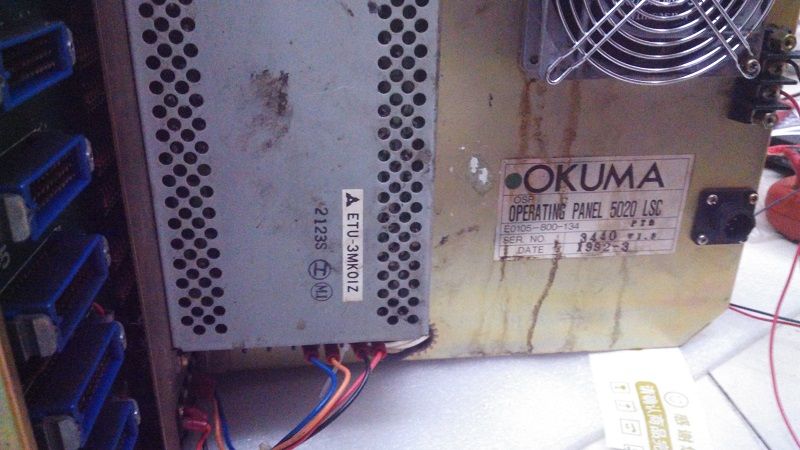
Okuma OSP (Okuma Specialized Platform) controls the company's renowned CNC lathes and machining centers. The CRT displays used on OSP500L-G, 5000, 5020, and 7000 series are now failing due to age — and replacement CRTs are virtually impossible to find.
This guide covers monochrome and color CRT replacements for Okuma machines, with specifications for MDT-1005 and related models.
⚠️ Quick Answer: Okuma OSP CRT displays are replaced with industrial TFT-LCD modules. 14-pin or 20-pin connector depending on model. Plug-and-play, no parameter changes. $430 outright. 18-month warranty.
Okuma CRT Model Cross-Reference
| CRT Model | Type | Size | Interface | LCD | Price | Compatible OSP |
|---|---|---|---|---|---|---|
| MDT-1005 | Monochrome | 12" | 14-pin | 12.1" LCD | $430 | OSP500L-G |
| Okuma 5000 CRT | Monochrome | 12" | 14-pin | 12.1" LCD | $430 | OSP5000, 5020 |
| Okuma 5020 CRT | Monochrome | 12" | 14-pin | 12.1" LCD | $430 | OSP5020 |
| Okuma 7000 CRT | Color CRT | 14" | 20-pin | 12.1" LCD | $430 | OSP7000 |
Specification Comparison
| Spec | Original Okuma CRT | Kongto LCD Upgrade |
|---|---|---|
| Resolution | 640x400 | 800x600 |
| Brightness | ~200 cd/m2 | 350-450 cd/m2 |
| Lifespan | ~15,000 hrs | 50,000+ hrs |
| Power | DC 24V | DC 24V (original) |
| Temp Range | 0~40C | -10~+60C |
Installation
1. Power Down
Turn off OSP system. Disconnect from mains. Wait 2 minutes.
2. Remove CRT
Unscrew housing. Disconnect signal cable and DC 24V power.
3. Install LCD
Mount into original position. Holes align. Use original screws.
4. Test
Power on. LCD displays automatically. Adjust with OSD.